Progressive Web App Compatibility Test
Progressive web app compatibility test for Service Workers, offline storage, installability, push notifications, and background sync validation across browsers.
Capability Diagnostics
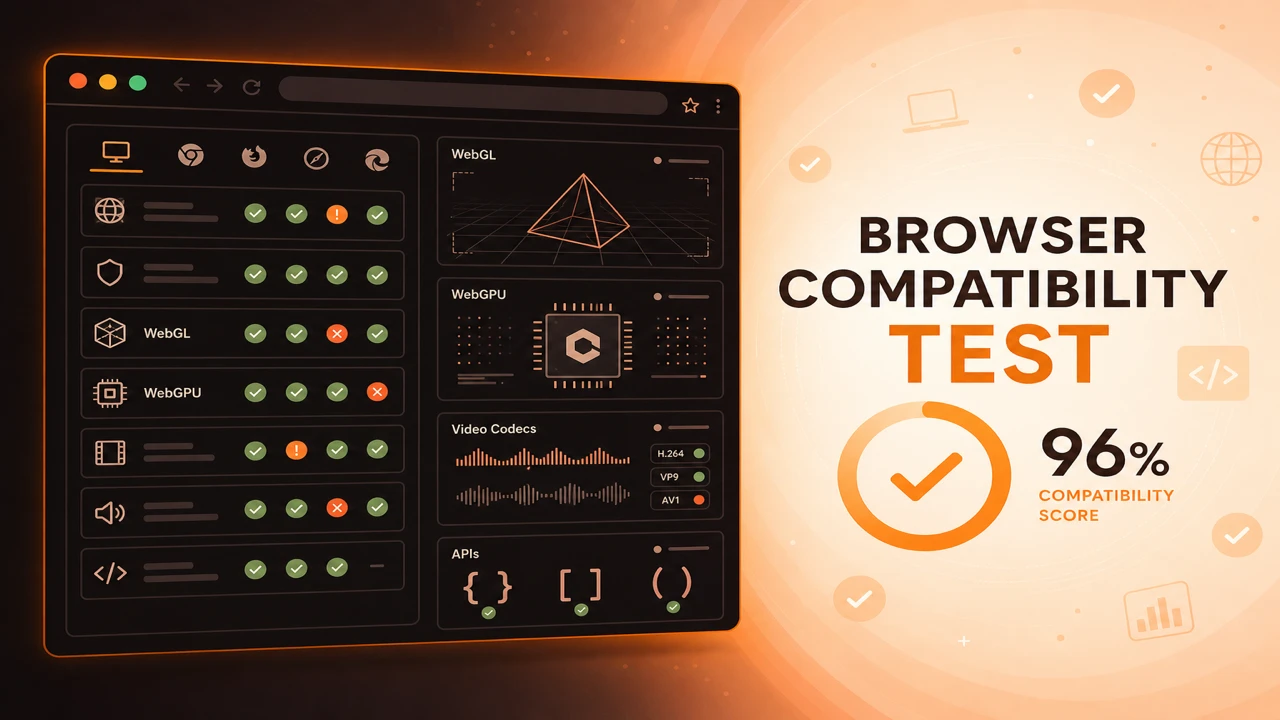
Verify browser support for modern web technologies with live feature detection. Probe graphics pipelines, media codecs, JavaScript APIs, hardware acceleration, and platform readiness, then export a diagnostic report from your current session.
A browser compatibility test validates whether your browser exposes the graphics, media, and API capabilities your application depends on. You can also explore volumeshader for graphics testing. Unlike version checks or static support tables, feature detection runs inside the active browser session and reports what actually works on that device.
This approach focuses on capability verification and technology support validation: WebGL context creation, WebGPU adapter availability, codec decode readiness, and JavaScript API presence. Results help developers, testers, and advanced users diagnose gaps before users encounter broken experiences.
Our compatibility test tool runs client-side probes from the run page. It performs browser analysis across graphics, codecs, and web APIs, then produces compatibility reports you can export as JSON or plain text.
Each session delivers support validation with a capability score based on passed probes. Filter by category, choose quick or full scope, and share results without uploading data to a server.
WebGL compatibility testing confirms graphics rendering capability in the browser sandbox. Probes attempt WebGL 2.0 and WebGL 1.0 context creation, read renderer information, and validate basic shader compilation for rendering validation.
Results reveal whether hardware acceleration is reachable and which WebGL versions your GPU stack exposes. This matters for 3D viewers, data visualizations, games, and any experience that depends on canvas-based rendering pipelines.
Context creation probes distinguish WebGL 2.0 from WebGL 1.0 fallbacks and record renderer strings when available.
Renderer info and context limits help spot software rendering paths, blocked GPUs, and driver issues that break 3D features.
WebGPU compatibility testing verifies next-generation graphics and GPU compute capabilities. Probes detect navigator.gpu, request an adapter, and confirm the browser implementation status on your hardware.
WebGPU readiness varies by browser version, operating system, and GPU drivers. Use probe results to decide when to enable WebGPU code paths and when to keep WebGL fallbacks for performance readiness and future graphics support.
Browser codec support tests validate video and audio decode readiness before you ship streaming experiences. Probes use canPlayType with standard MIME strings for H.264, H.265, VP9, AV1, AAC, Opus, MP3, and related formats.
Codec results indicate playback compatibility and streaming readiness on the device in front of you. Pair them with MediaSource checks when building adaptive bitrate players or media-heavy progressive web apps.
Verify H.264, H.265, VP9, AV1, and HDR-related profiles your CDN packages depend on.
Confirm AAC, Opus, FLAC, and MP3 support so video playback does not fail silently on audio tracks.
Web API compatibility testing validates JavaScript API support across device, performance, storage, and security categories. Probes confirm browser API availability, secure context requirements, and feature accessibility before you enable advanced UI.
API validation covers standards compliance for modern platform features: Fetch, WebSocket, WebAssembly, IndexedDB, Service Workers, Permissions, WebAuthn, File System Access, and hardware-adjacent device APIs.
Camera, microphone, geolocation, sensor, USB, Performance, Memory, and timing APIs power interactive and diagnostic experiences.
Local Storage, IndexedDB, Cache API, WebAuthn, Credential Management, and Permissions APIs require secure contexts and correct policy configuration.
Hardware acceleration testing confirms whether the browser can offload graphics and media work to the GPU. WebGL renderer strings, WebGPU adapter results, and codec probe responses together indicate rendering acceleration and video decoding acceleration paths.
Performance verification through capability probes helps distinguish policy-blocked GPUs from genuinely unsupported hardware. This is essential on corporate laptops, remote desktop sessions, and mobile devices where browser optimization settings change outcomes.
A browser feature availability report summarizes supported features, unsupported features, and experimental capabilities detected during a probe session. Export JSON for tooling or a text summary for email and ticket attachments.
Use reports to track deprecated feature gaps, plan recommended upgrades, and document which browsers meet your release bar. Each row maps to a specific probe so engineering and QA can act on individual failures.
Browser capability diagnostics translate probe failures into actionable troubleshooting. Missing WebGL often traces to disabled hardware acceleration. Codec failures may reflect platform licensing limits. API failures frequently involve secure context or enterprise policy blocks.
Run diagnostics when users report blank 3D panels, videos that never start, or features that work on your laptop but not theirs. Compare exported reports across browsers to isolate configuration problems, extension conflicts, and browser limitations.
Progressive web app compatibility testing validates Service Worker registration, offline storage, installability signals, push notification APIs, and background sync availability. PWAs depend on a cluster of APIs that must pass together, not in isolation.
Probe results help you gate install prompts, offline modes, and notification features. Users on browsers without Service Worker or persistent storage support should see clear fallback guidance instead of broken install flows.
Browser security feature probes validate APIs that depend on trusted contexts and user consent. WebAuthn, Credential Management, Permissions API, and Secure Context requirements shape whether authentication, storage, and device access features can run safely.
Security API validation is part of platform readiness, not a replacement for penetration testing. Knowing which security primitives are available helps you design flows that fail gracefully on older browsers or locked-down environments.
WebAuthn and Credential Management API probes confirm passwordless and passkey flows can initialize.
Permissions API and Privacy Sandbox-related features affect tracking, storage, and device access policies.
Ten focused articles on feature detection, WebGL and WebGPU validation, codec verification, API availability, hardware acceleration, diagnostics, and PWA compatibility.
 PWA
PWA
Progressive web app compatibility test for Service Workers, offline storage, installability, push notifications, and background sync validation across browsers.
Diagnostics
Browser capability diagnostics for troubleshooting missing WebGL, codec failures, API blocks, configuration problems, extension conflicts, and browser limitations.
Reporting
How to build a browser feature availability report from probe sessions. Document supported, unsupported, and experimental WebGL, codec, and API capabilities.